Manage rules in the dashboard
To configure firewall rules in the Cloudflare dashboard, open Firewall rules in Security > WAF.
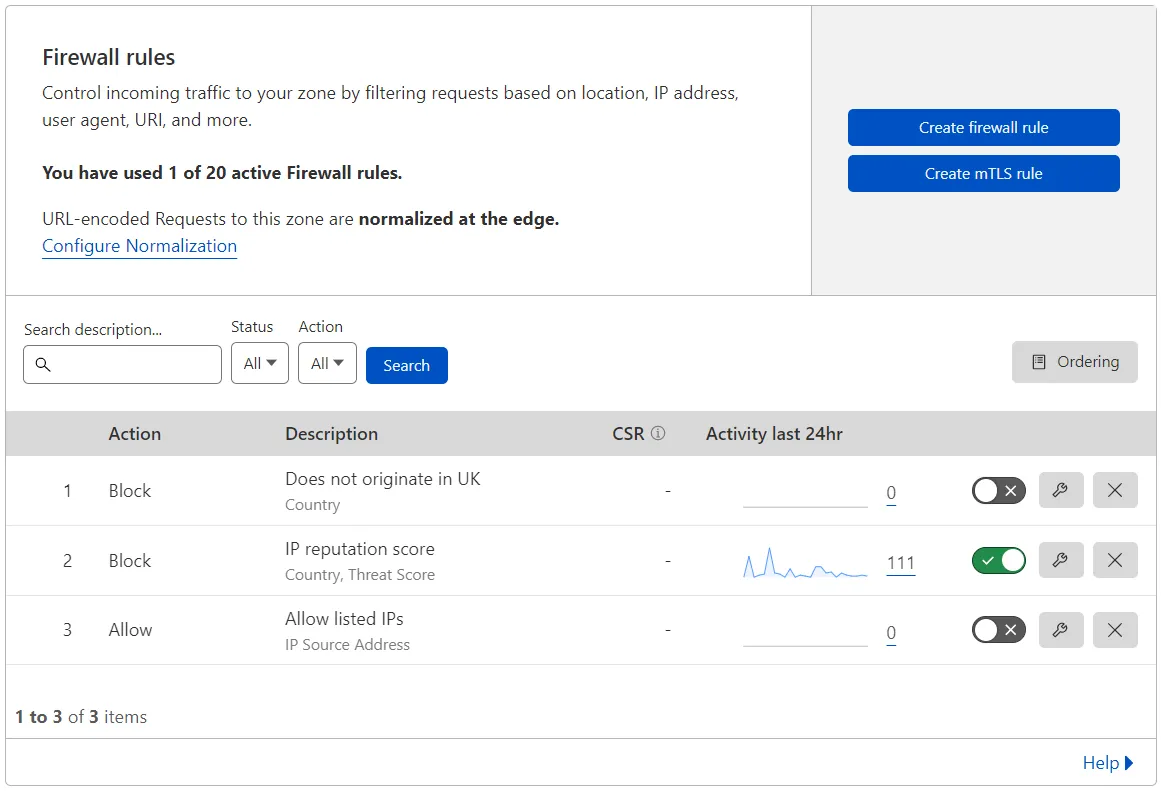
As depicted in the image below, the Firewall rules dashboard interface lets you:
- View the list of existing rules, both enabled and disabled.
- Create, edit, and delete firewall rules.
- Enable or disable rules.
- Search and filter the list of existing rules.
- Reorder firewall rules when using list ordering.